
 English
 French
 German
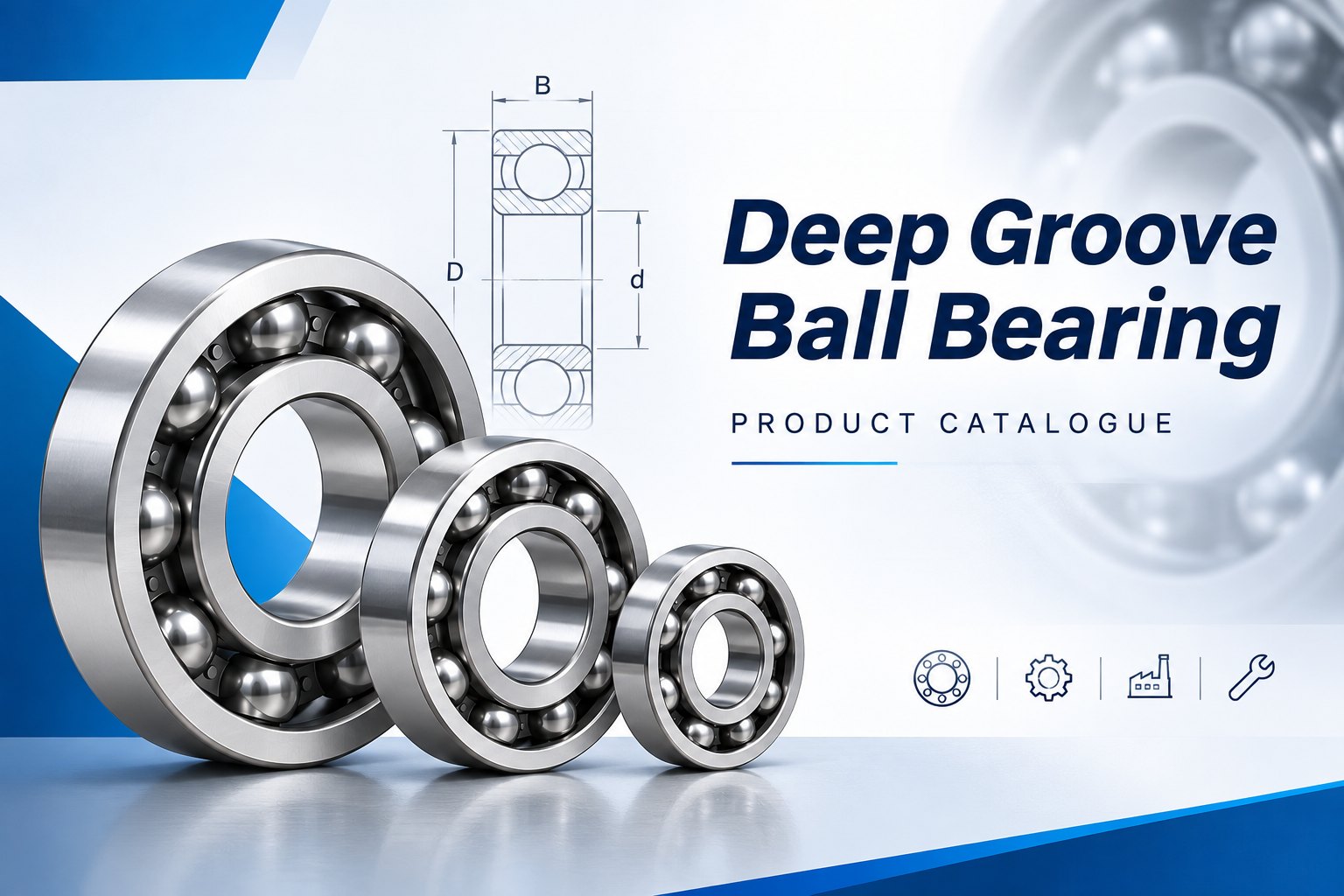
Deep Groove Ball Bearing Catalogue PDF
Document Control
A deep groove ball bearing catalogue PDF is the document most buyers actually work from, and it is also the one most likely to be out of date. The copy on your desktop may be two revisions behind the file the factory is building against.
This guide treats the PDF as a document rather than as a product range. How to date it, how to search it for a size you already know, what to do when a row and a quote disagree, and the three documents that have to line up before an order is safe to place.
01Why a File Ages Faster Than a Printed Book
A printed book gets replaced when the new edition lands on the desk. A PDF gets forwarded, renamed and saved under a name like bearing catalog final final 2019. Nothing forces it out of circulation, so it keeps being quoted from long after the range has moved on.
The cost appears as a mismatch between two people who are both certain. One quotes from the file she has, the other builds against the current deep groove ball bearings list, and the gap only surfaces when the part reaches the dock. By then the freight is paid and the line is waiting.
02Reading the Version Block Before You Read a Size
Almost every edition carries a version block somewhere, and almost nobody reads it. It sits on the inside cover, in the footer of the first page, or in the file properties. Find it once, note where it lives, and check it before you use any row from that file.
Where the Revision Actually Hides
The cover is the first place to look and the least reliable. Covers get reused when only a handful of pages change, so a new edition can wear an old face. The footer date, the page count and the file metadata usually move first.
Four Fields Worth Looking For
An edition code, a revision date, the edition it replaces, and the range it covers. With those four you can name the file out loud and another person can confirm they hold the same one.
| Field | Why it matters | Where it usually sits |
|---|---|---|
| Edition code | Lets two people confirm they hold the same document | Cover, footer, filename |
| Revision date | Tells you the age before you trust a size | Footer of the first page |
| Superseded edition | Shows which file your copy replaced | Inside cover note |
| Scope of range | Confirms your size belongs to this edition | Section index |
03The Four Ways a File Drifts From the Shelf
A stale file rarely announces itself with a wrong cover. It drifts in small steps, and each step is easy to miss on its own. Four patterns account for most of the trouble we see at the quoting stage.
Sizes Get Trimmed Without Notice
A manufacturer retires the slow moving end of a range and the table simply gets shorter. Nothing marks the deletion. If your part number no longer appears in the current file, that is usually a statement about availability rather than a printing error.
Options Change and the Size Does Not
Clearance groups, seal types and grease fills get revised far more often than dimensions do. A row that matches on bore, outside diameter and width can still describe a different finished part, because the option columns moved and nobody compared them. A 6205 bearing ordered with a different seal type or clearance group is a different finished part, even when the three main dimensions on the row never move.
Footnotes Migrate Between Pages
Load and speed figures are conditional, and the conditions live in a footnote. When pages reflow, the note can end up three pages from the table it qualifies. Search the file for the note marker before you trust a figure.
| Drift | What you see | How to catch it |
|---|---|---|
| Renamed file | Year in the name, older date in the footer | Read the footer before the cover |
| Trimmed range | Your designation is missing from the table | Ask whether the size is retired or moved |
| Option shift | Same size, different suffix list | Compare the option pages across editions |
| Moved footnote | Table figures with no conditions attached | Search the text for the note marker |
04Searching a File for a Size You Already Know
You normally arrive with one anchor, which is the bearing you are replacing. The trick is to search by the part of the designation that is arithmetic rather than the part that is a family name.
Start With the Bore Code
The last two digits of a standard designation multiply by five to give the bore in mm. So 04 reads as 20mm, and the 6204 bearing lands on a 20mm shaft. Codes 00, 01, 02 and 03 are the exceptions, mapping to 10mm, 12mm, 15mm and 17mm.
That single rule is the fastest way into any table. Filter the file to the bore you need and the page count drops from hundreds of rows to a handful, which is where reading becomes reliable.
Then Take the Width Series
The 60, 62, 63, 68 and 69 groups share a bore convention and differ in outside diameter and width. A 63 part is wider and larger around than a 60 part at the same bore, which is what the series digit is telling you. Read the narrow group first, then widen only if the envelope allows it.
At 25mm bore, for example, the 6305 bearing sits in the medium group rather than the light one. Same shaft, more material around it, and a housing pocket that has to match.
Read the Conditions Before the Figures
Load and speed columns carry a caveat in the notes. Speed in particular is stated for one lubrication state, and a sealed part runs slower than an open one of the same size. Copying the figure without the condition is how a specification ends up impossible to meet.
When the Search Returns Nothing
Some numbers on old machines are the builder’s own, not standard designations, so no public file will ever contain them. In that case stop searching and measure. Bore, outside diameter and width from a caliper will get you further than any amount of scrolling.
05When a Row and a Quote Disagree
The row says one width, the quote says another, and both came from the same supplier. This is common enough that it deserves a rule rather than a judgment call on the day.
The rule is to stop. Do not average the two figures, do not pick the one that suits the housing, and do not assume the newer looking document is right. A discrepancy between two documents from one source is a question for that source, in writing.
Which Document Owns Which Fact
The file owns what exists and what it measures. The quote owns what you are buying, in what quantity, at what price, with what lead time. Neither owns the measurement of the parts you actually receive, and that belongs to the inspection report.
06Three Documents That Have to Agree
Before a first order, three pieces of paper should tell the same story. They cover different ground, so a match across all three is a strong signal that nothing was misread at any stage.
| Document | What it fixes | What it cannot tell you |
|---|---|---|
| PDF edition | Sizes and options that exist in a range | Stock, price, lead time |
| Written quote | The exact part, options, quantity and terms | Whether the row behind it was read correctly |
| Inspection report | Measured values for the batch you received | Whether the design was right in the first place |
The Report Is the Tie Breaker
When the file and the delivered parts seem to disagree, the report decides. It states nominal against measured, and a comparison of those two columns settles most disputes without a return. Ask for it with the first shipment rather than after a problem.
A part like the 6004 bearing is a good one to test the process on, because it is common enough that any mismatch will show up quickly. Run the three documents against it once and you will know how a supplier works.
07What a File Cannot Show You
Five things never live in a catalogue, however well made it is. Each one has to be asked for, and asking does not signal distrust. It signals that you have ordered a bearing before.
• Current stock at the point of order, as opposed to whether the size exists at all.
• Minimum order quantity, which often decides whether a small trial is possible.
• Lead time for your quantity, not an average across the range.
• Alternative clearance, cage or material options that are not printed as standard rows.
• Batch inspection data and material certification for the parts you will actually receive.
08Asking for the Current Edition
Asking for a current deep groove ball bearing catalogue PDF costs nothing and protects everything downstream. The version that comes back should be dated later than the one you hold, or it should be the same one named explicitly, which is also a useful answer.
A Request That Gets a Fast Reply
Name the designation you are pricing, the edition and date of the file you already hold, the page you were reading, and the range you need. Four lines, no preamble, and the reply can be a single attachment.
Add one sentence about the application if the size is not yet fixed. It lets the person sending the file point you at the right page instead of the whole document. Something like a 6804 bearing replacement for a small motor is enough context to narrow the section.
09Questions Buyers Ask About Catalogue PDFs
How do I know whether my copy is current?
Read the footer date on the first page and compare it with the date of the reply that delivered the file. If you cannot find either, treat the copy as unverified and ask for a fresh one before quoting a customer.
Can I order straight from a row in the file?
You can start an order from a row, but the row describes a size rather than a finished part. Add the suffix, clearance, precision class and lubrication, or the supplier will quote the standard build.
Why does the same size show different widths in two editions?
Often because one figure covers the shielded version and the other the open one, or because the editions are simply from different years. Compare the dates and the notes before you conclude that one of them is wrong.
Is there a catalogue PDF to download from this site?
We send the current edition on request rather than posting a file that goes stale on the page. Ask for it with the range you need and you will get the dated version plus the option pages that apply.
10From a File to a Quoted Part
A working copy, a written quote and a report on the first batch are all the paperwork a repeat order needs. Get those three aligned once and the file stops being a risk and starts being what it was meant to be, which is a lookup tool.
Check the edition you already hold
Send the date on the file you are working from and the designation you are pricing. We will tell you whether that edition is current, and send only the pages that moved if it is not.
If the size is already fixed, include the quantity and the application. A quote against a named part is faster than a quote against a range, and it comes with the inspection data you will want on arrival.